What does OneShelf keep that a sync app does not?
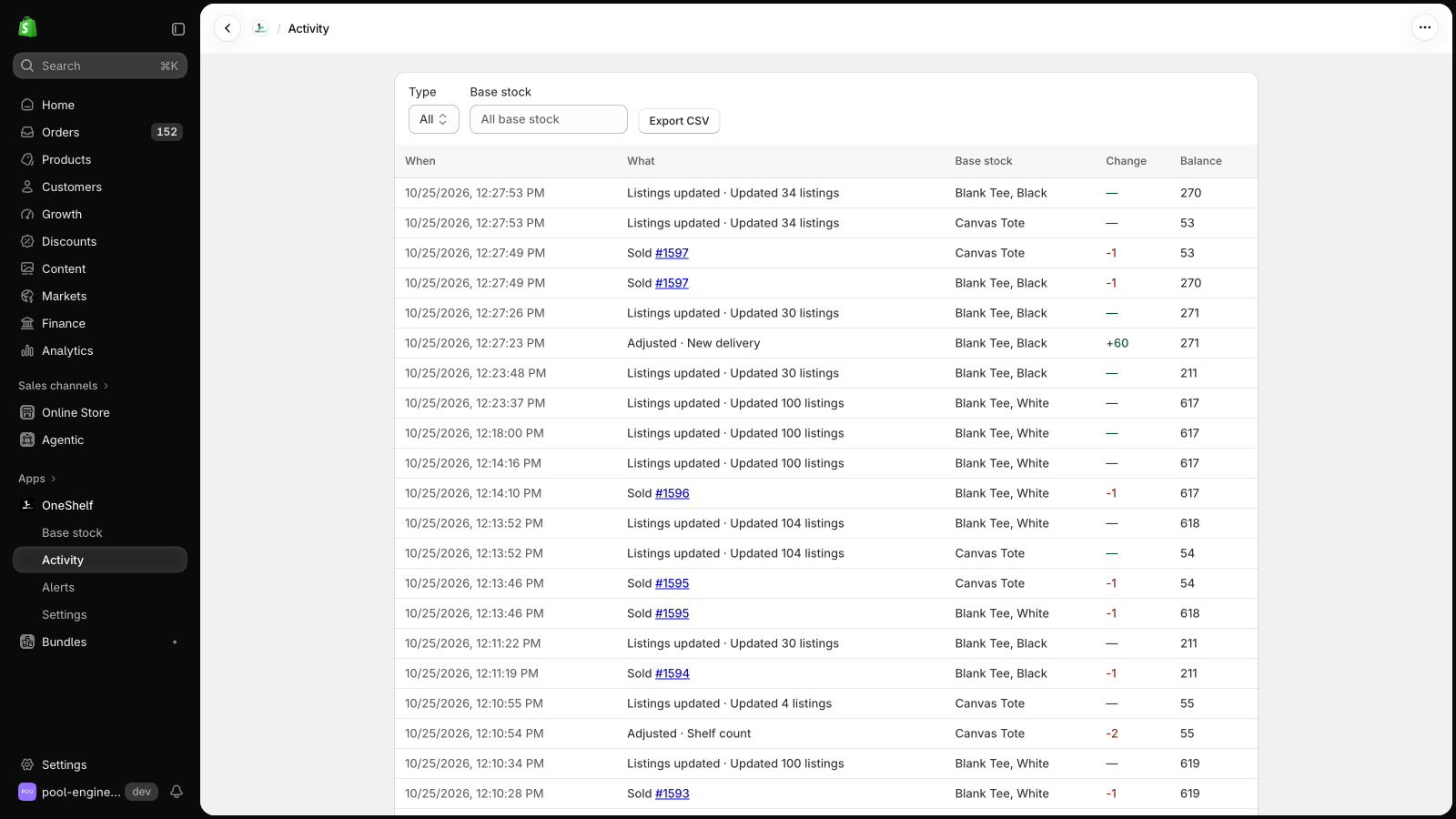
A sync app has no count of its own. OneShelf keeps its own record of each base stock, apart from the listings. The quantity that Shopify shows is a result that OneShelf calculates from that record.
- Each change is a row on the Activity page, with the change and the new balance.
- Each order counts once. If Shopify sends the same order twice, OneShelf does not take the stock twice.
- Two sales from one base stock at the same moment are counted one after the other, so neither sale is lost.
- On a schedule, OneShelf asks Shopify for recent orders and counts any order that it did not receive.
- When a person or another app changes a quantity in Shopify, OneShelf does not write over it. It stops writing that listing and asks you what to do with the difference.
How are they different?
| Sync app | Shared base stock (OneShelf) | |
|---|---|---|
| Different amounts per sale | Many apps copy equal numbers only. | Each listing has its own uses per sale, with decimals. |
| Kits from several items | Usually not. | A kit shows the lowest number that its parts allow. |
| One cart that asks for more than you have | Shopify checks each listing alone, so the cart goes through. | The checkout rule stops it. |
| Two customers buy the last unit in the same few seconds | Both orders can go through. | Both orders can also go through. OneShelf counts both, and an alert shows the oversell. |
| Two or more stores | Yes, for many apps. | No. OneShelf works inside one store. |
If your listings are true copies, or you share stock between two stores, a sync app is a good choice. The compare pages show sync apps with prices and reviews.
Can OneShelf break my store?
- OneShelf starts in Preview mode, and it changes nothing in Shopify until you click Go live. Before you save a link, it shows each listing now and after.
- It adds no code to your theme. When a quantity changes in Shopify outside OneShelf, it does not write over it. It asks you first.
- To stop, go back to Preview mode. Your listings keep their quantities.